A walkthrough of the Djangify admin area on the demo site. It covers the owner help section, the setup checklist, adding products, orders, reviews, coupons and sales stats, hosted tools, blog posts and policies, with chapters so you can jump to the part you need.
Ecommerce Builder for Digital Products: Full Djangify Admin Tour
· Length 5:53
Read the transcript
Hi and welcome. My name is Diane Corriette. I am the founder of Djangify, the ecommerce builder that lets you sell digital products. And in this video, I am going to take you through everything that you will see in the admin area.
So when you sign up and become a Djangify owner, whether it's self-hosted or managed hosting, and self-hosted means you are hosting it on your own hosting account and managed means that I'm managing the hosting for you. The first thing you see when you login as an owner will be this section here where you can open and it has a welcome and a page where you can get all the help you need.
Under here this is all for your AI so the whole site can be managed by AI. You can upload these to your AI and it will walk you through what you have to do so you're not stuck. It should answer all of your questions and if you have Claude you can directly connect Claude and your Djangify site so that Claude can log in and create products for you, write blog posts for you, set the whole thing up for you if you want.
I've created a nice checklist so you can just go through and click them as you do them. That's just so you know you've gotten everything done that you need to get started and this is an important document that you will set up so that AI knows all about you. You want them to know the problem you solve and who the people are that you are helping and the promise that you're making and the outcomes that you promise. That's really important. With those three then AI has just about everything it needs to become your voice and so I'm not going to go through the whole sidebar, I'll go through some of the more important things but this is basically where you manage your site, your orders, your blog posts, your hosted tools, everything.
So I'm here in the product section and everything you sell, this is where you place it and you simply add a new product and run through everything. Once it's up you can click preview to have a look at it and of course you can also make any updates you want to whatever you change here will change on the actual site and then you upload your product here so people can download it and you can add additional images like what you get which is all for trust really so people understand what they're getting and that appears in the sidebar here what people will get you can show them and then the fact that they can download things, that's more trust. If you have a video for your product you can add it and also under here will be your orders that people have placed, any reviews have placed, all that kind of good stuff. If you've got a one-time offer up, any coupons you've given out and under stats will be your sales stats and this is where you can look at how many orders have come in, everything that's happened. Obviously this is a demo site so these are not real sales because nothing on this site is sold. These are just people who have registered and gone through the process so they can see how Djangify works. It gives you an idea of what happens, where people are coming from, what they're clicking and all that kind of good stuff and there are plenty of other stats too.
The hosted tools are important because you can create micro apps that you can sell and also provide for free. So I have a few of these on here that you can try out, you can go to the site and test them out. And these are all estimates, don't take anything as gospel, but it gives you a rough idea if you're using a platform that is free, exactly how many digital products you have to sell before it's worth paying for a tool like Djangify. And just for the fact that you own your data and you own your customers data, for me that makes it worth paying for, but that's just my [unclear]. So I have a set of different tools you can try those, you can build your own, you can add them and as you can see here these are paid, you can sell them and for the paid ones they go straight to a shop and then you can buy that. If you want to you can come to the site now, add that to cart, buy it and you'll see the whole process of what happens when one of your customers buy a digital product from your site.
Over to the blog post, I think blogs are still vitally important, they're for search engine optimization and organic traffic and to show that you know what you're talking about and because Djangify is for subject matter experts people will naturally want to add content to their blog anyway and you can see all of these messages at the top that just lets me know I'm looking in draft mode and then if I want to I can click on here to edit the article so I don't have to go back into the admin and find it. These are all things that have happened since I've had beta testers and they've said can you add this and can that.
Along with blog posts there are of course policies, very important to have policies on any shop. So those are added, they are in like a draft mode and there's a big message saying update your policy. When you do you'll find this is what happens. You can then have a list of everything people need to know so that they've got all the information they need.
And that's really everything inside of Djangify. There are help videos and there is full documentation and as [unclear] with AI now, you can add everything to AI.
Now I use this site for me, I set it up for me so that I can sell my digital products without relying on a platform or a marketplace, so you will be an independent digital business owner. And now it will be great to have some people join me. So if you'd like to know more about becoming a Djangify owner, you can go to this demo and sign up or you can go straight to the site djangify.com, register, you get a few free days to try it out. I'll be available to help anyone who wants to join and of course AI is all there so you can run it through AI and it will answer all of your questions.
Related Products
View all products →
View Details
Self-Hosted Djangify eCommerce Builder - One-Time
What you get: your own digital shop on your own server, with every sale going straight to your own Stripe account and no cut taken, plus AI built in to …
£197.00
View Details
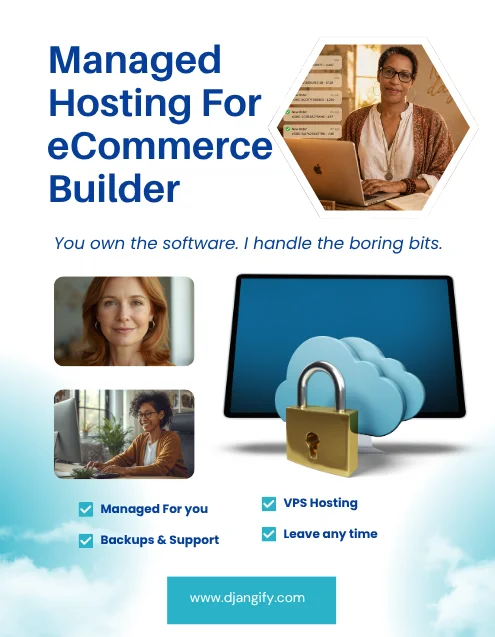
Digital eCommerce Builder - Managed Hosting Subscription
What you get: a live digital shop on your own subdomain within minutes of checkout, already built and ready for your first product, with nothing for you to host or …
£9.99
View