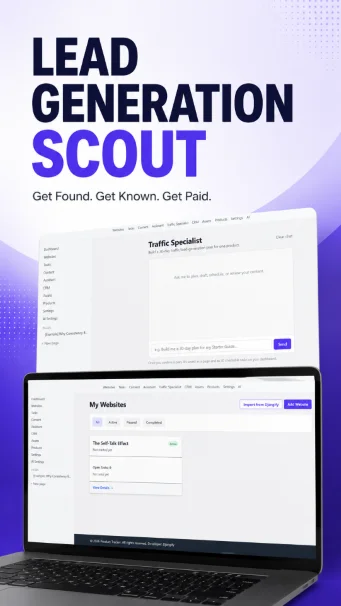
Lead Generation Scout is a workspace you download and use on your PC/laptop. It was built to solve one specific problem: turning a product you have made into a steady stream of email signups and sales, without guessing at what to do each day. This page pulls together everything from the Complete Guide including how the app works, what each part does, and how to go from a blank dashboard to a running 90-day Growth Plan, built across three linked 30-day phases.
Lead Generation Scout: Get Found. Get Known. Get Paid
Lead Generation Scot has been built by Diane Corriette with AI Assistance from Claude. Diane Corriette is a digital marketing professional & Full-Stack Software Developer with over 15 years of experience helping independent professionals sell their expertise. She is the founder of Djangify a digital eCommerce system, which she uses to sell her digital products and services.
What Is Lead Generation Scout?
Lead Generation Scout started as a simple task-and-website tracker and has grown into a full content-and-traffic operation: a dashboard, tasks, a light CRM, notes, digital products, email sequences, a content calendar with a built-in AI engine, a Traffic Specialist that builds a 30-day plan for getting a product in front of people, and — the newest piece — a Growth Plan chat that stretches the same idea to 90 days.
The 90-day Growth Plan is built across three linked phases — Getting Found (days 1–30), Getting Known (days 31–60), and Getting Paid (days 61–90) — each planned in weekly chunks with day-by-day content ideas, hooks and calls to action. Phase 2 and 3 aren't drafted upfront: the assistant checks how much of the previous phase you actually completed before writing the next one, and recommends repeating it rather than piling on more work if you fell short.
Everything runs on your own machine or your own server. Your data lives in one SQLite file you control, which means no subscription, no third party holding your content or your customer list.
"If you are looking to sell digital products, Lead Generation Scout will help you plan how to get found online by qualified buyers. Get Found. Get Known. Get Paid."
- Lead Generation Scout
The Steps
Step 1
Set Up Your Business
Create a Website which becomes the container for your business. Manually add details or use Import from Djangify to pull an existing store's brand info and product list in automatically.
Step 2
Feed It Your Content
Upload past writing, transcripts, and existing material as Assets. This is what the AI feature will read from. Paste the actual text into the Content field since that's what the AI sees.
Step 3
Build Your Phase 1 Plan (Days 1–30)
Open the Growth Plan chat and answer its questions honestly: your business, product, audience, and how much time you actually have each day. It plans Phase 1 — Getting Found — as four connected weeks of content, not 30 loose days. Only want a single 30-day plan with no further phases? Use the Traffic Specialist instead.
Step 4
Do It, Day By Day
Review the plan, then work the tracker: log whether you showed up, what you posted, and what happened. The daily reminder email taps you on the shoulder if you skip a day.
Step 5
Build Your Phase 2 Plan — Getting Known (Days 31–60)
Once Phase 1 is finished, return to the Growth Plan chat to build Phase 2. It checks real task-completion data from Phase 1 first — not a guess — and recommends repeating Phase 1 if completion is below the plan's threshold (40% by default), or folds back in anything you skipped before ramping up volume and getting more product-specific.
Step 6
Build Your Phase 3 Plan — Getting Paid (Days 61–90)
Based on Phase 2's actual completion and what performed best, the Growth Plan chat drafts the final phase with heavier, more direct calls to action toward your offer. When Phase 3 wraps, start a new 90-day plan whenever you're ready — for the same product or the next one.
Getting Started
Log in with the account created when the app was installed, and you will land on the Dashboard. Once you have added content, this is the home base, showing what's due today, this week's plan, and a running work log.
The app works fully without AI: Tasks, the CRM, Pages, Products, and the content calendar all work with zero setup. AI features likethe Generate panel, the Assistant, and the Traffic Specialist are optional, switched on later from AI Settings whenever you're ready.
A sensible first session: create your first Website, add your product(s), upload a few pieces of writing as Assets, and only then try the Traffic Specialist.
Websites: Your Hub
A Website is a business, it doesn't have to be a literal website, just the container for everything related to one venture. Nearly every other part of the app hangs off a website: its tasks, content calendar, products, assets, and traffic plans.
Each website has a status (active/paused/completed) and a priority number, plus brand and EEAT (Experience-Expertise-Authoritativeness-Trustworthiness) details: domain and brand name, author/founder name and bio, founder expertise, business bio and meta description, and a support email.
Import from Djangify: if the business already has a live store on Djangify, enter the domain and a read-only export token and the app fetches the brand info and product list, so you can pick which products to bring in. It remembers the connection for re-syncing later.
Tasks & Habits: The Accountability Engine
Every task belongs to a website, has a status (planned / in progress / done), and usually a scheduled date. Most tasks are one-off; a habit is a task set to repeat daily, weekly, or monthly. Its "done" status resets each period, and the app tracks a separate completion record per period. This is exactly the mechanism behind a 30-day traffic plan: each day becomes a real task with its own date.
Three views: Table (sortable, good for bulk edits), Board (grouped by status), and Calendar (a month grid that flags clashing days across businesses). The Dashboard's Today panel shows what's scheduled, anything overdue, and any habit not yet done for its current period.
The Daily Reminder Email
Looking at a dashboard only works if you remember to look. The daily_reminder command emails you once a day with whatever's still open: overdue tasks, anything scheduled for today, and any habit not yet marked done. It runs as a scheduled job (cron on macOS/Linux, Task Scheduler on Windows) once a day, e.g. 6pm, and needs a recipient email address configured in the environment.
This is the single most important habit-forming feature in the app: a 30-day plan only works if something taps you on the shoulder when you skip a day.
Assets: What They Are, and What to Upload Where
An Asset is raw source material like something uploaded, or text/a transcript pasted in. It's the "input" side of the AI engine: every generation feature, the voice profile, and the Traffic Specialist all draw on assets instead of you re-explaining your business every time.
What actually gets used: the Content field is what the AI reads, not the uploaded file itself. If you upload a PDF or Word doc, paste the actual text into Content too — the file upload is for your own reference and download, like an attachment.
Most assets belong to one website; leave Website blank for something reusable across every business (a style guide, a piece of evergreen writing, a general interactive tool). An "Interactive tool (HTML)" asset like a quiz, diagnostic, or content builder is exactly how the app's reusable tools library works.
Voice Profiles
A voice profile is a distilled description of how you write that is built once from your own words, then applied automatically everywhere content gets generated, so drafts sound like you instead of a generic AI.
Paste a few writing samples (or point it at saved assets) and run Distil. The AI produces a one/two-sentence summary of your voice, tone words, typical sentence length, words to avoid, and do's and don'ts in your own patterns. Keep more than one profile if you write differently for two businesses, but only one is active at a time.
Build your voice profile before your first traffic plan, not after because a plan full of hooks is only useful if they actually sound like something you'd say.
Prompt Templates, Content Templates, and the Two Generate Panels
A prompt template (in Assets) is one reusable system instruction, used with one or more assets you pick, producing a new Page. A content template (in the Content Calendar) is an ordered recipe of several prompts e.g. step 1 writes the hook, step 2 the caption, step 3 the CTA - producing one fully filled-in content item in one run.
Generate from Assets: pick assets, a prompt template, optionally a voice profile and instructions, and the result is saved as a new Page. The calendar's Generate panel: pick a content template or write a short brief, choose a date, and get a full draft content item dropped into the calendar with approval status "Ready for Approval."
The Assistant
The Assistant is a chat page focused on your content calendar. Unlike the Generate panels, it acts — calling the same tools directly so you can tell it what you want in plain language: "What content do I have scheduled this week?", "Give me 5 August Instagram post ideas about summer skincare," "Move item 3 to next Friday," "Approve item 5," "Draft an Instagram post about morning routines for Aug 20." If a request is ambiguous, it asks a short clarifying question rather than guessing.
The Traffic Specialist
A separate chat from the Assistant, with one job: build a 30-day plan that gets people onto your email list first, and buying a product second. It asks, in order: which business (loading brand info and product ladder itself), which product (usually the cheapest, since the goal is list signups), your audience concretely ("busy parents wanting a side income," not "entrepreneurs"), time available per day, and what already exists — checking your assets first and asking about anything not tracked yet.
Channels: one channel if you have a couple of hours a day or less; up to three, never more, if you have several hours a day. It also points out that commenting and engaging on other people's posts counts as real traffic-generation activity, not just posting your own.
The plan itself specifies, per day: which channel, whether it's original content, engagement, or both, a concrete hook tied to your audience and offer, the exact call to action, how long it should take, and a note to reuse an existing asset by name where one fits. It's grouped into a rhythm: Week 1 build visibility, Week 2 deepen engagement, Week 3 introduce the lead magnet, Week 4 soft pitch and push signups.
Growth Plans: The 90-Day Version
Everything the Traffic Specialist does for a single 30-day plan also comes in a longer form: a 90-day Growth Plan, opened from its own chat, broken into three linked phases — Getting Found (days 1–30), Getting Known (days 31–60), and Getting Paid (days 61–90). Phase names default to this wording but can be renamed per plan.
Phase 1 is planned as four connected weeks rather than 30 loose days: Week 1 locks the one-line positioning message and checks off one-time foundation basics (analytics installed, an opt-in page live, any automation set up); Weeks 2–3 are the first content wave; Week 4 is a review-and-push week that replicates whatever performed best and makes a direct ask.
Phase 2 and 3 are not drafted upfront. Returning to the Growth Plan chat once a phase is finished triggers a real check of task-completion data from the dashboard — not a guess. Below the plan's threshold (default 40%), the assistant recommends repeating the phase rather than escalating to a harder one. Above threshold with some days skipped, the next phase folds those specific items back in. Above threshold and mostly done, it carries forward whatever performed best and ramps up volume and specificity.
A few small pieces support that check: a one-time foundation checklist, weekly metrics (subscribers and source, sessions and top source, revenue and transaction count, content published per channel — real inputs, not vanity numbers), and a weekly journal of reflective questions written specifically for that week, with a place to store your own answers.
Growth Plans get their own section in the app's left sidebar, above Pages, with a day-by-day tracker per week (the same tracker described above), a journal, and the foundation checklist and metrics log on the plan's overview page.
Running Your 30-Day Plan and Doing It Again Next Month
Once a plan is confirmed, it's saved two ways at once: as a readable Page, and as 30 real Tasks, one per day, dated on the dashboard, triggering the daily reminder if left undone.
The day-by-day tracker shows all 30 days as a grid with a progress bar. Click any day to record whether you actually showed up and posted, the link to what you posted, the hook you used, notes on what you'd change, and views/clicks/new followers or subscribers. Saving marks that day done everywhere - tracker, dashboard, and the daily reminder.
Before asking for the next 30 days, open the finished tracker and actually look at it: which days had the best hooks, which channel pulled its weight, which days you skipped and why, so each plan gets sharper instead of repeating the last one blind.
The Reusable Tools Library
Any interactive tool you've built like a quiz, a diagnostic, a content builder, can live in the app as a global asset. Upload it as type "Interactive tool (HTML)" with website left blank, and it shows up in a reminder banner at the top of the Dashboard with a direct link, and the Traffic Specialist can see it too when checking assets while building a plan so it can suggest working one into a day's content instead of inventing something new.
AI Settings & Running Everything Free Through Claude Desktop (MCP)
One setting drives every AI feature in the app. Open AI Settings, choose a provider (OpenAI, Anthropic, or Google Gemini), paste an API key, and test the connection.
You may not need this at all: everything the Assistant, the Traffic Specialist, and the Growth Plan chat can do is also available as an MCP connection, letting Claude Desktop talk directly to your install and run the same tools from a chat window on your existing Claude subscription, no API key, no per-token cost, for everything except two tools that call your configured AI provider directly (draft-from-template and voice-distilling). Requirements: the Claude Desktop app installed and signed in, and the app installed and running locally.
CRM, Pages, Products & the Content Calendar
A lightweight CRM tracks contacts with a pipeline status, an interaction log, and follow-up reminders with an email digest which is just enough to not lose track of a warm lead.
Pages are nestable notes with a block editor that let you save relevant information: anything generated by AI is saved here, alongside your own notes. A Page stores output; an Asset stores input.
Products: each website can have one or more digital products including name, price, description, an optional deliverable file, a sales log, and simple funnel steps. Your product ladder (cheap entry product, mid-tier course, bigger programme) is exactly what the Traffic Specialist reads when building a plan.
The Content calendar tracks one record per piece of content - scheduled date, pillar, content type, topic, platforms, hook, caption, CTA, hashtags, and the published link - with a production status (idea → draft → scheduled → published → archived) and an approval status (draft → ready → approved → changes), viewable as Calendar, Board, or Table.
Featured Articles
Lead Generation Scout Documentation: Get Found. Get Known. Get Paid.
The short version: what Lead Generation Scout is, how the 30-day plan works, and how it connects to a Djangify store.
The Djangify AI Assistant and Claude MCP
How the built-in AI Assistant, rule-based Site Audit, and direct Claude MCP connection work — the same MCP approach Lead Generation Scout uses.
Djangify Now Has a Store Setup Wizard
Fill in a form, then either apply it yourself or let Claude build the rest over MCP — the same free, no-API-key approach.
Quick Answers to Common Questions
Do I need an API key to use this app?
No. Only for the in-app Generate panels and the three chats (the Assistant, the Traffic Specialist, and the Growth Plan chat). Everything else, including running them for free through Claude Desktop via MCP, works without one.
What's the difference between the Assistant, the Traffic Specialist, and the Growth Plan chat?
Three separate chats, three jobs. The Assistant manages your content calendar. The Traffic Specialist builds and tracks a single 30-day traffic/lead-generation plan for one product. The Growth Plan chat does the same job stretched to 90 days across three linked phases, and checks your actual completion before deciding whether the next phase should be harder, the same, or a repeat.
Why didn't my traffic plan create tasks?
It needs day-by-day detail to do that so if you approved a very loose plan, ask the Traffic Specialist to lay out specific days before saving.
Can I run more than one business?
Yes. Add another Website and everything (tasks, calendar, assets, plans) is kept separate per business, with a shared dashboard.
Where does my data live?
In your own SQLite database file. Nothing is sent anywhere except to whichever AI provider you've explicitly chosen, and only when you use an AI feature.
Why didn't my Growth Plan generate Phase 2 or 3 automatically?
By design. Nothing after Phase 1 is drafted automatically — go back to the Growth Plan chat once a phase is finished and ask for the next one. It checks real completion data first and may recommend repeating rather than escalating.
Get the Complete Guide
Download the full Lead Generation Scout documentation as a PDF. It includes every feature and screen explained — including the 90-day Growth Plan (Getting Found, Getting Known, Getting Paid) — a full glossary, and a quick-start checklist for going from a blank Dashboard to a running Phase 1 plan.
FAQ
Do I need any marketing or technical background to use it?
No. Every term that might be new to you like asset, voice profile, prompt template, MCP, is explained the first time it comes up, and again in the glossary at the back of the guide.
Does the app work without AI?
Yes. Tasks, the CRM, Pages, Products, and the content calendar all work with zero setup. AI features like the Generate panel, Assistant, Traffic Specialist, and Growth Plan chat are optional and can be switched on later.
What's the difference between a Page and an Asset?
A Page stores an output which is something finished and ready to read, like a generated traffic plan or a blog article. An Asset stores input - information that you upload. Raw material such as past writing or a transcript that you feed to the AI. Information you want the AI to know and work with so it gets to understand your business and your voice.
What's the difference between a prompt template and a content template?
A prompt template (in Assets) is one reusable instruction used with the Generate-from-Assets panel to produce a new Page. A content template (in the Content Calendar) is an ordered recipe of several prompts that fills in one content item's hook, caption, CTA, and hashtags in a single run.
How much does it cost to run through Claude Desktop?
Everything is free on your existing Claude subscription. including having Claude Desktop write the actual captions - except two tools that call your configured AI provider directly (draft-from-template and voice-distilling), which use an API key only if you have set one up.
What happens if I don't complete enough of a phase?
The Growth Plan chat recommends repeating that phase instead of moving on, and explains why — piling on more work when the last phase wasn't actually finished just compounds the gap. You can still choose to press on anyway, and the completion threshold (40% by default) is editable per plan.
Own Your Content, Own Your List
No subscription, no third party holding your content or your customer list. Just one SQLite file you control, and a daily nudge to actually do the work that gets you found, known, and paid.