Yes, SQLite is a sound choice for a small digital shop. Postgres is the better choice for a different kind of site, and it helps to know which one yours is. Here is what each database actually is, in plain language, and the signs that tell you it is time to change.
Why you keep hearing "use Postgres"
If you ask an AI what database a Django site needs, you will often be told Postgres. Many tutorials and books say the same, and it sounds like the serious, grown-up answer. That advice is aimed at busy applications with many people writing data at the same moment. A small digital shop is a different job, so the advice does not always fit. Other developers happily run small production sites on SQLite for exactly that reason.
What a database does
Your shop needs somewhere to keep its products, orders, customers, blog posts and settings. That somewhere is the database. Both SQLite and Postgres do that job. The difference is how they are built.
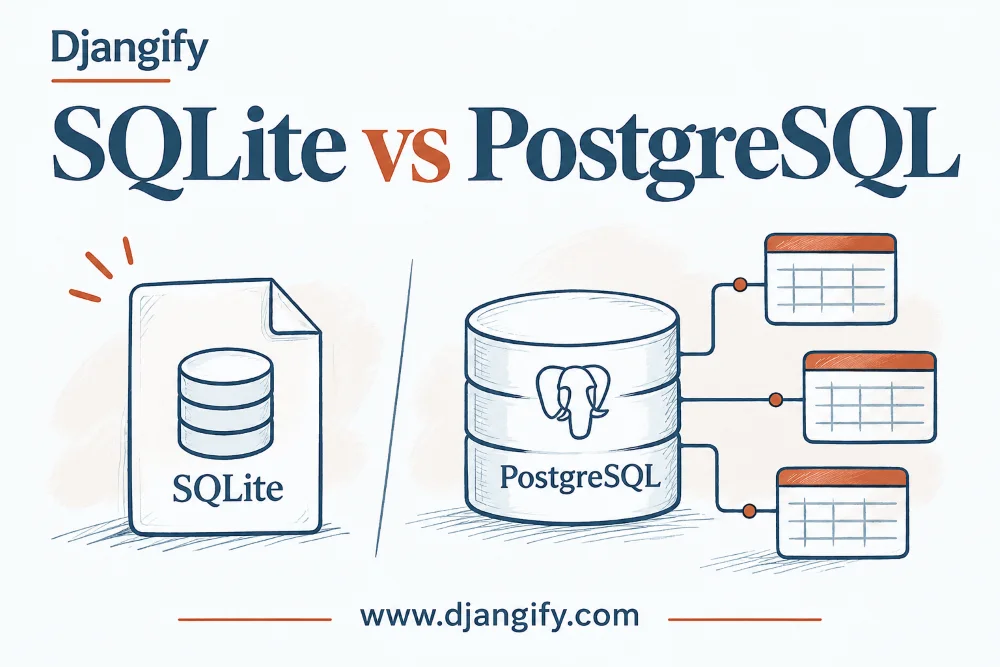
SQLite: one file
SQLite keeps everything in a single file that sits inside your application. There is nothing extra to install, no separate program running, no password to set up for the database itself. Django ships with it, and it is what Djangify uses by default.
- Simple: nothing to configure and one less thing to go wrong.
- Light: it uses very little memory, which is why a small server is enough.
- Easy to back up: one file, plus your media folder and your .env file.
The trade-off is that SQLite lets one thing write to it at a time. Reading is fine for many visitors at once, but if lots of writes pile up together, they queue.
Postgres: a separate database server
Postgres is a database program that runs on its own, next to your application. Your site talks to it over a connection. It is built to handle many people reading and writing at the same moment, and it is the usual choice for large or busy applications.
- Better with lots of simultaneous writes: it is designed for busy sites.
- Can live on another machine: useful if you run more than one application server, or use a hosted database service.
- More to look after: it needs installing, a user and password, its own updates, and its own backups.
- Uses more memory: a second program is running on your server.
Which one does a small digital shop need?
A digital shop usually has modest traffic and very few writes. A sale, a new account or a blog edit is a small event, not thousands per second. For that kind of site, SQLite is a sound choice, and the simplicity is a real benefit when you are the one looking after the server.
Postgres starts to make sense when:
- you see "database is locked" errors regularly;
- you expect a lot of orders or sign-ups landing at the same time;
- you want to run more than one application server;
- you prefer to use a managed database service, or you are comfortable running Postgres and want it.
What "database is locked" means
This is the error people search for most. It means two things tried to write to the SQLite file at the same moment, and the second one gave up waiting. One now and then, that clears on its own when the page is reloaded, is not a sign of a problem. If you see it regularly, or it is stopping orders going through, that is the signal your site has outgrown a single file. It is the clearest reason to move to Postgres.
Backing up SQLite safely
Backing up is simple because it is one file, but copy it carefully. If the file is copied in the middle of a write, the copy can be incomplete. Take the copy when the site is quiet, or use SQLite's own backup command, which makes a clean copy while the site is running. Keep the media folder and your .env file with it.
Starting on SQLite is not a one-way door
You do not have to decide forever on day one. Both databases store the same kind of data, so you can begin on SQLite and move to Postgres later if your site grows. Djangify has a documentation guide for exactly that: Use PostgreSQL Instead of SQLite (Optional, AI Guide). It is for information only. Check the steps with your AI assistant and go through the process with it, rather than doing it alone if you do not know what you are doing.
What I have chosen for Djangify
Djangify uses SQLite everywhere, because it keeps hosting simple and cheap and suits the kind of shop it is built for. If you buy the self-hosted version, the database is your choice: you are free to use SQLite, Postgres or whatever suits your setup. The honest summary is that Postgres is not better in every case, it is better for a different case. Choose the one that fits the size of the job.
Related reading: self-hosted or managed hosting and the Self-Hosted Pre-Installation Guide.