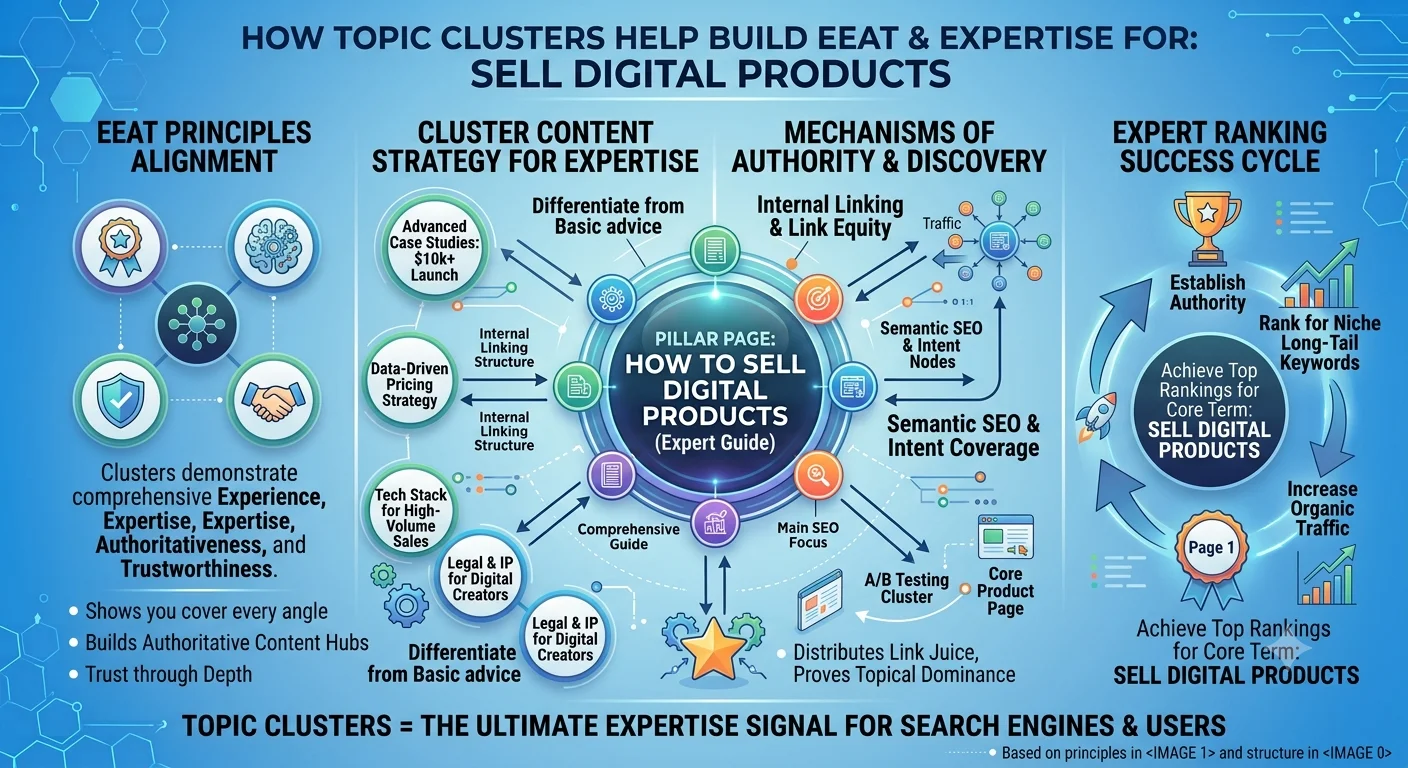
Djangify now supports topic cluster pages. Its a single page built around one core topic that links out to the one product you're actually selling, plus a handful of related blog posts that all support that same topic. Instead of scattering content across your site with no clear structure, everything ties back to one central hub.
Think of it as a hub-and-spoke model: the cluster page is the hub, your blog posts are the spokes, and every spoke points back to the hub.
Why this matters for SEO
Google ranks pages based on how well they demonstrate topical authority, not just keyword matching. When you have several blog posts about one topic all linking to and from one central page, you're telling Google the site actually knows that topic in depth. A few concrete benefits:
Internal linking signals. Every blog post linking back to the cluster page passes authority to it, and the cluster page linking out to posts spreads that authority back down. This is one of the simplest, most controllable SEO levers available and it only works if the linking goes both ways. A cluster page that only links out to posts, without those posts linking back, gets you organisation but loses most of the SEO benefit. Reciprocal linking is how search engines actually infer that a set of pages belongs to one cluster.
Topical relevance over keyword volume. A single strong page surrounded by supporting content tends to outrank several disconnected pages competing with each other for the same keywords.
A clear next click. Visitors who land on a blog post now have an obvious path forward from the cluster page, and from there, the product. That reduces bounce rate, which is itself a quality signal.
Why this matters for selling digital products
This is the part that affects revenue directly. A cluster page gives you one focused sales path instead of hoping a random blog post converts on its own. The structure is: one product, one topic, several blog posts that all funnel traffic toward that product. Someone finds a post about a specific problem, sees the cluster page it links to, and lands on the product that solves it with no guessing which post should convert, no scattered calls to action across the blog.
It also simplifies content planning. Instead of asking "what should I blog about next," the question becomes "what supports the cluster I'm already building." Every new post gets a clear job: rank for a related long-tail query and send traffic toward one product.
What's actually on a cluster page
Each cluster page is built from a banner image, an intro, a set of "steps" that route different visitor problems to different starting posts or products, a pull quote, featured articles, a quick-answers section for common questions, and links to related pillars - home, products, blog. Banner, infographic, product callout, and download preview images are restricted to PNG or WEBP at 2MB max, matching the same upload rules already enforced elsewhere on the system, so cluster pages can't be used to add oversized or unsupported files onto a site.
You can see the format in action on a live Djangify site - Elena Maren's Anti-Inflammatory Lifestyle page ties her core topic to one product (The Cortisol Code), routes visitors into three different starting posts based on their specific symptom pattern, and pulls in featured articles, a quick-answers section, and links back to her site and blog. That is the full hub-and-spoke structure in one working example.
Another one is on my life coaching site Inspirational Guidance and focuses on Journaling For Personal Growth - with key steps, articles, infographic and link to a product.
Blog Links
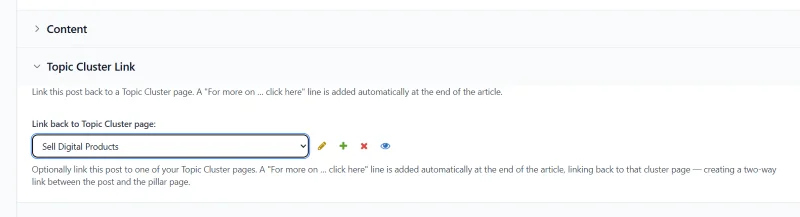
The ability to link back to a cluster page has also been added to the blog template. You select your page from the drop down area and the backlink component shows up on your blog post with the link back to the cluster page, which means you don't have to add the link to the post body yourself.
Getting started
As always, this update has gone out to all Djangify sites. Just choose a keyword you would like to rank for or build your authority on. Build a cluster page around its core topic and add a product if applicable. Write or reorganise three to five existing blog posts to link into that page and make sure each of those posts links back. Repeat for the next keyword phrase when you're ready to build a new cluster.