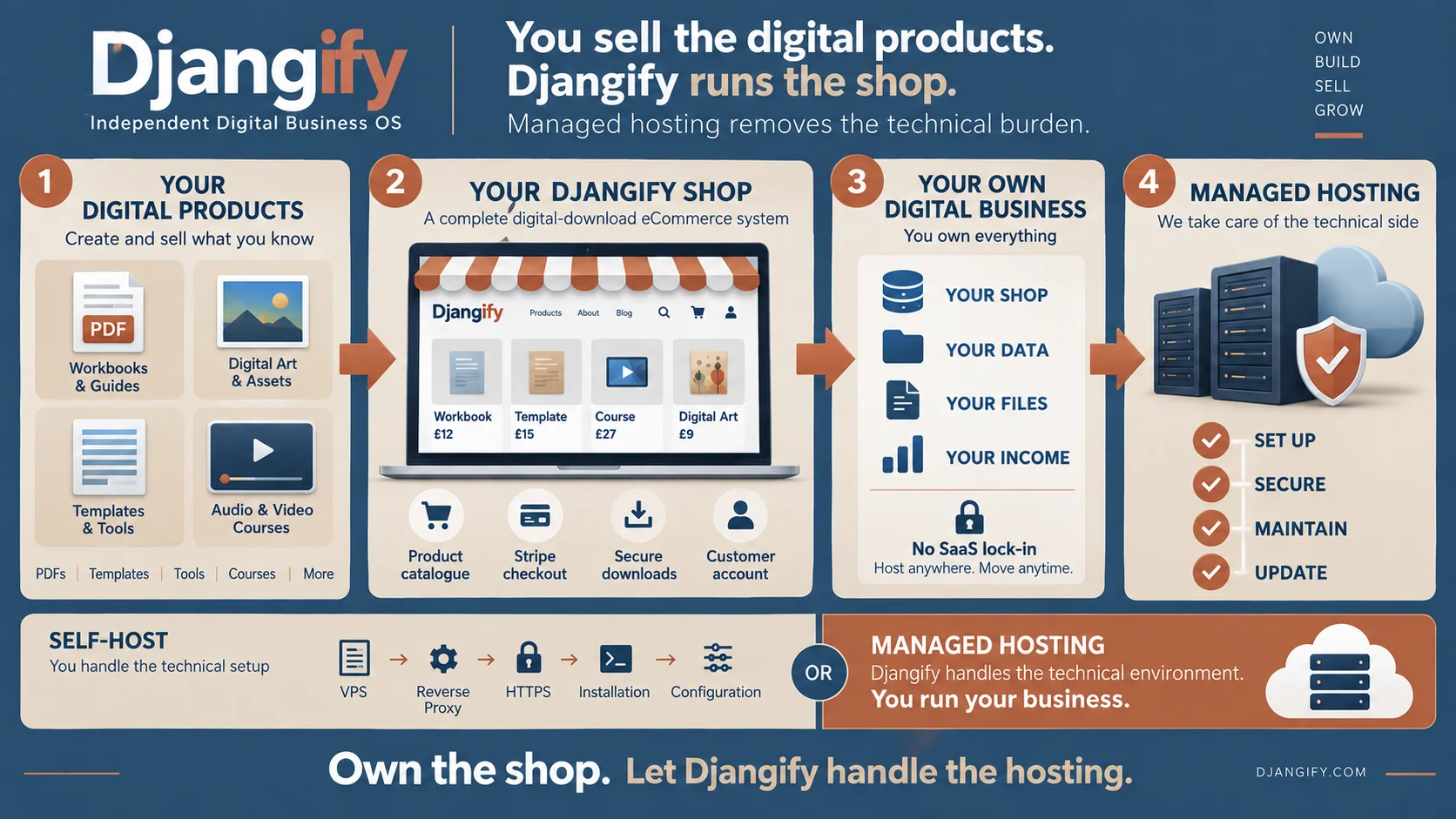
Managed vs Self-Hosted at a Glance
Both versions run the same Djangify eCommerce Builder. Payments go through your own Stripe account, neither takes a commission on your sales, and you keep your customers and your data. The differences are about who runs it and what you get on top.
Managed hosting compared with self-hosted
| Managed hosting | Self-hosted |
|---|
| Where it runs | On my infrastructure, at yourname.djangify.com, with your own domain available any time | On your own server (a VPS) and your own domain |
|---|
| Servers, security, SSL and backups | Handled for you, including daily backups | Yours to look after. The admin Backup Centre helps, but it doesn't replace scheduled backups on your server |
|---|
| Updates | Applied automatically | You apply them when you choose. Updates are included for 12 months, and your version keeps working forever |
|---|
| The code | You don't get the code or a license to run it elsewhere | The complete source code, which you can change or extend |
|---|
| How you pay | Lite is £9.99 a month and Full is £17 a month. Both start with 14 days free, with no contract | A one-time purchase, plus your own server costs. Current prices are on the product page |
|---|
| Free hosted tools | Up to 5 free tools on Lite and up to 15 on Full. Customers can download a PDF or have their results emailed to them | Unlimited free tools, and customers can register and save their results in their dashboard |
|---|
| AI features for your customers | Not included | The Expert Twin, the Product Coach and the AI Support Desk |
|---|
| Connecting your site to Claude | A one-click connection from the admin, on the Full plan | Available, with a small extra service and two reverse-proxy routes to set up |
|---|
Who Each Option Is For
Managed hosting is for you if…
- You want to spend your time creating and selling, not managing a server.
- You want your site live within minutes of checkout.
- You're happy to run on my infrastructure rather than owning the code.
- You'd like the documentation, videos and AI to help you if you get stuck.
Self-hosting is for you if…
- You want to own the code and add your own features, with AI or a developer.
- You're comfortable following step-by-step instructions alongside an AI assistant.
- You want the Expert Twin, Product Coach, AI Support Desk and unlimited free tools.
- You prefer paying once instead of a monthly subscription.
If you're not sure
Would you rather spend an afternoon setting up a server once, or never think about a server at all? The first points to self-hosting. The second points to managed hosting. Ownership and responsibility are not the same thing: managed hosting leaves the server to me, and you still keep your site, your customers and your sales.
Quiz
Which one fits you?
- Who should run the server?
- I want it handled for me
- I will ask Claude to do it and follow the steps
- How do you like to pay?
- A small monthly fee
- Once, then I own it
- How much do you want to own?
- A site that works is enough
- The code, the data and the server
Managed hosting
I run it, you sell. Pick a name, check out and your site is live.
See managed hostingSelf-hosted
You own everything and keep every sale, apart from Stripe's normal fee.
See self-hosted
Neither option is for selling physical products, and neither is a marketplace with many sellers. Djangify is for selling your own digital work.
What Self-Hosting Actually Involves
What you need
Before you start
- A small server (a VPS)From a host such as Hetzner, DigitalOcean or Linode. The smallest plans cost a few pounds a month.
- A domain name
- A Stripe accountFree to open.
- An AI assistantA free Claude or ChatGPT account is enough to follow the setup guide.
You don't need to be a developer. You do need to be comfortable following step-by-step instructions and asking an AI assistant for help when you get stuck.
How setup works
The documentation takes you through four phases: pre-installation, local development setup, initial deployment, and server configuration. Every guide is written so you can hand it to Claude or ChatGPT and be walked through one step at a time. If you'd rather not do it yourself, there's also a done-for-you installation service where I install it on a server in your name and hand you the keys. It needs a self-hosted license, bought separately.
Count your time
The server bill is only the visible cost. Setting up, applying updates and fixing the occasional problem all take your hours. An AI assistant makes each step easier, but it doesn't make them disappear, so count your time when you compare the two.
What stays your responsibility
Scheduled backups of your server, applying updates, keeping an eye on uptime and disk space, and keeping your encryption key safe. Help comes from the documentation, the videos and your AI assistant. It doesn't cover your hosting provider, domain or Stripe account.
Documentation for Self-Hosters
When you're ready to go deeper, these guides cover each part of running Djangify yourself. They're written step by step, and each can be handed to an AI assistant to walk you through it.
Self-Hosted - A Quick Start Guide (START HERE)
The starting point for the self-hosted journey — links to every phase of setup, from pre-installation through deployment, in the order you'll actually go through them.
Read the full guide →
Self-Hosted Pre-Installation Guide (Phase 1)
What your server actually needs before you install: minimum specs, Ubuntu, Docker and Docker Compose versions, a registered domain, and a Stripe account. Useful for checking whether you already have what self-hosting requires.
Read the full guide →
Self-Hosted Maintenance Essentials Guide
The ongoing work self-hosting doesn't advertise upfront — backups, applying updates, monitoring uptime and disk space, and routine weekly/monthly/quarterly checks to keep a site secure and recoverable.
Read the full guide →
Self-Hosted Troubleshooting Guide
Common issues you may hit running your own server — Docker, Stripe webhooks, SSL, email delivery — and exactly what self-hosted support does and doesn't cover.
Read the full guide →
The Encryption Key: Why It's Critical and How to Avoid Losing It
The single easiest thing to get wrong when self-hosting — your Stripe, SMTP and marketing credentials are encrypted with a key you generate yourself, and losing it silently breaks those integrations. Managed hosting customers never have to think about this.
Read the full guide →
Backups and Downloads: Using the Admin Backup Centre
Both hosting types include a one-click CSV export and full-site backup zip in the admin. On self-hosted it's a convenience, not a replacement for the scheduled server-side backup routine you're responsible for setting up yourself; on managed hosting, scheduled backups are already handled for you.
Read the full guide →
The MCP Connector and AI Assistant: Choosing What You Use
How to manage your site from Claude directly, using your own AI provider key. On managed hosting it's a one-click connection from the admin; on self-hosted it's a small sidecar service and two extra reverse-proxy routes you set up yourself.
Read the full guide →
Self-Hosted: Built-In Testing Commands
Built-in management commands for checking your Stripe and email configuration, your migrations, and running the full test suite — the kind of verification that's on you to run yourself when self-hosting.
Read the full guide →