Djangify is an eCommerce builder for selling digital products: PDFs, templates, courses, tools and other downloads. This page explains how it works: what happens when someone buys, what you see as the owner, what your customer sees, and where AI fits in. It is also where I record what changes and why, so you can check it whenever you have a question.
How the Djangify eCommerce Builder Works
I built the Djangify eCommerce Builder for myself so I can sell digital products without relying on a platform that could shut me down or change the rules overnight. The first version was complete in January 2026, and by the time I introduced it to a few beta testers in March, it had already been carrying a real live business for five months. Their feedback shaped updates through to July 2026, and every change since comes from actually using the system rather than guessing what it might need.
What Is the Djangify eCommerce Builder?
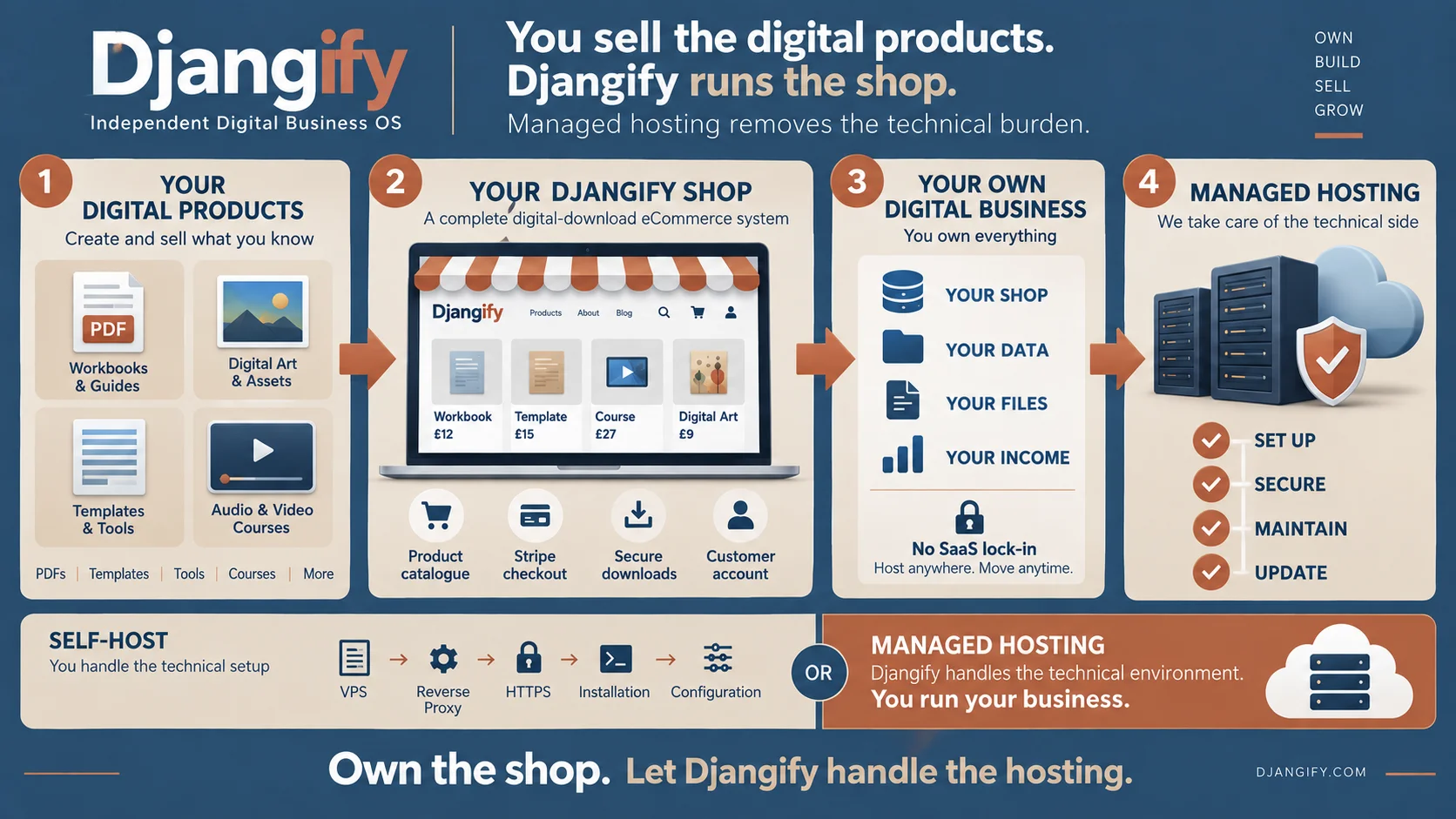
Djangify gives you a complete site for your digital products in one place: product pages, Stripe checkout, secure downloads, customer accounts, order management, a blog, pages and SEO tools, all run from a single admin.
It comes in two forms. With managed hosting, I run the servers, backups and security for you. With self-hosted, you own the code and run it on your own server. Either way there are no platform fees on your sales. The full comparison explains which one fits you.
It sells digital downloads and hosted tools only. It is not for physical products.
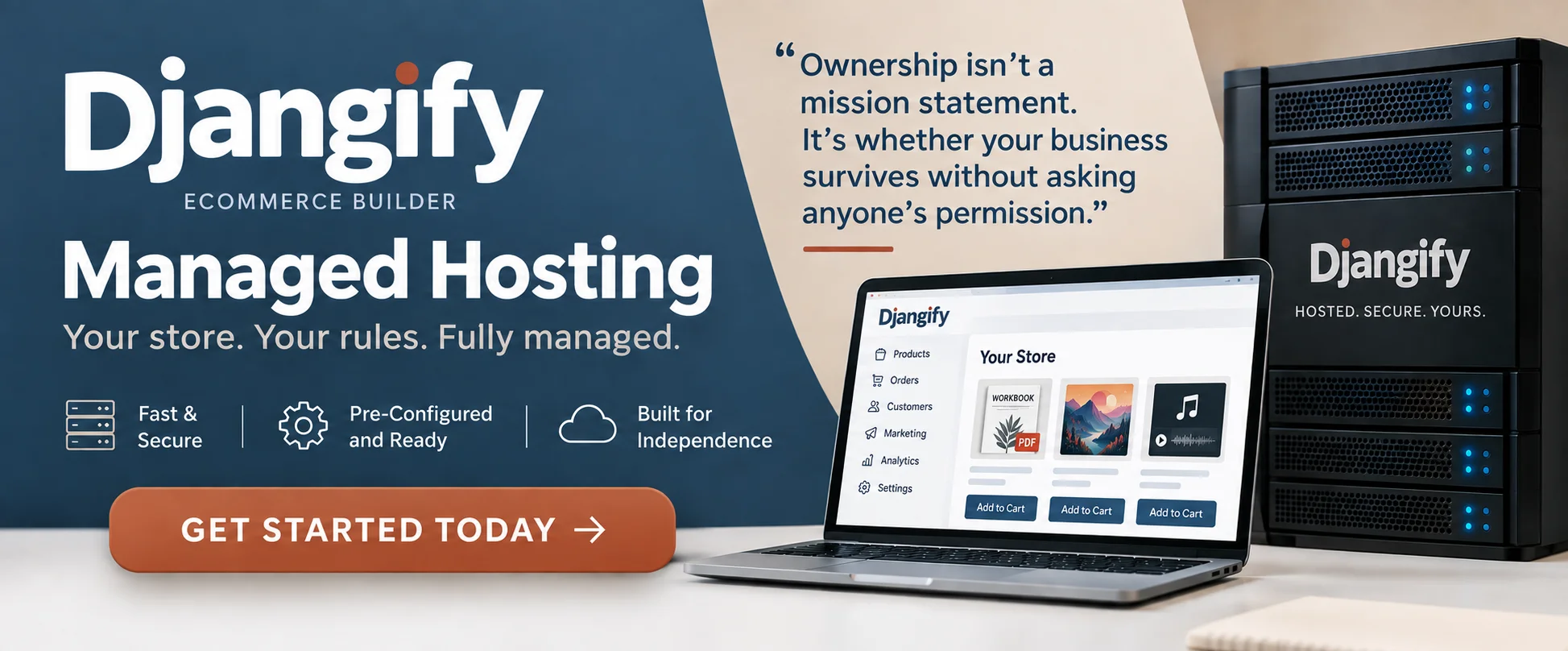
"The moment someone can lock you out, it stops being your business and starts being your tenancy."
- Diane Corriette - Djangify Founder
Where to Start
Step 1
Want the full list of what's currently in Djangify?
Start with everything added during beta testing, then browse the full six-month feature tour for the current state of the admin.
Step 2
Care about trust signals and search visibility?
See how Djangify handles E-E-A-T, schema markup and author identity automatically, and why it matters more than it used to.
Step 3
Wondering what building this was actually like?
The honest version of why the software was the easy part, and what actually takes the ongoing work.
What Happens When Someone Buys
Here is the journey from a visitor landing on your product page to a finished sale.
- They find your product. They arrive from search, your blog, social media or an email and land on a product page on your own site.
- They check out. Checkout runs through Stripe in the currency you chose, and customers can buy as a guest. Free products check out at a real £0.
- The money goes to you. Payment lands in your own Stripe account. Djangify takes no commission on your sales.
- The order is recorded. It appears in your admin with a timeline, and the customer gets their order emails. A customer account is created so they can log in later.
- The file is delivered. They get an encrypted download link straight away, with download limits you control.
- They can come back. They log in and download again whenever they need to, and you can issue refunds from the admin.
Extras you can switch on along the way include coupons, order bumps at checkout, a one-time welcome offer for new customers, a reminder email for shoppers who leave items in their cart, and an email sign-up box at checkout that connects to Mailchimp or Kit.
Want to see it for yourself? In the live demo you can "buy" dummy products and walk through the whole customer experience.
What You See and What Your Customer Sees
What you see as the owner
One admin area runs everything:
- Products, pages and your blog
- Every order, customer and support request in one place
- Your theme, colours and settings, with no code
- Coupons, order bumps, cart reminder emails and email sign-ups
- One-click CSV exports and a full-site backup
- A Site Audit that checks your products, pages, blog and SEO and tells you what to fix
What your customer sees
- A site and blog on your own domain, under your own brand
- Product pages, a simple checkout and an account to log into
- Their downloads, ready whenever they come back
- Free interactive tools, such as calculators and quizzes, if you offer them
- On self-hosted sites, an AI Support Desk that answers questions based on what they actually bought
What an eCommerce Builder Replaces
Selling digital products from your own website usually means putting several services together. Djangify includes them in one system:
- Hosting and a website builder, so you aren't piecing together themes and page builders.
- A checkout and payment plugin, through built-in Stripe checkout.
- A secure downloads plugin, through encrypted links with limits.
- A membership or accounts plugin, through customer accounts.
- An SEO plugin, through structured data, sitemaps and sharing cards generated for you.
- A blog and landing pages, through the built-in blog and page builder.
The less you assemble, the less there is to break when something updates. If you're comparing ways to sell, Sell Digital Products walks through marketplaces, plugins and eCommerce builders side by side.
What Djangify Does, and What Only You Can Do
Djangify is an ecommerce builder for digital products. It gives you somewhere to sell, a way to get paid and a way to deliver what you've made. It doesn't decide whether people find you, and it doesn't decide whether they buy. That part is you, and it always has been, on every platform.
Nobody opens Shopify and asks whether it's going to sell their products. They know a platform is a place with a checkout, and the selling is down to them. Djangify is no different.
What Djangify does for you
- Takes payments through your own Stripe account
- Delivers your files securely and gives customers an account to download again
- Records every order and sends the order emails
- Builds the technical SEO foundations: structured data, sitemaps and sharing cards
- Gives you a blog, a page builder and topic cluster pages to publish your content
- Checks your site with a Site Audit and tells you what to fix
What only you can do
- Make a product people want to buy
- Connect your site to Google Search Console and keep an eye on it
- Write helpful articles and cluster pages that answer real buyer questions
- Bring visitors through search, social media and email
- Show up consistently, and keep improving what isn't working
So will Djangify help you get found in search engines? It gives you everything a site needs to be found. Whether you are found depends on the work you put into it. In my experience, even sites I've set up with very little content have started to appear in search within a few months, but a well-built site can't write your articles or answer your customers' questions for you.
Platforms often take the credit when a seller does well, and I understand why. The reality is that you sell because you work at it. The platform is just where the sale happens.
How AI Fits In
AI in Djangify is there to help with the jobs people put off. It never publishes anything without you.
- Connect your site to Claude. Ask Claude to add a product, write a post or audit your site, and it does the work for you. You approve what it changes.
- Shop Setup. Fill in one form with your branding, homepage and pages, and Claude builds the site from it.
- Writers for the dreaded jobs. Product descriptions, blog posts, summaries and FAQs arrive as drafts.
- AI files for help. Upload the supplied files to the AI of your choice and it knows how Djangify works, so it can walk you through anything you get stuck on.
- For your customers (self-hosted only). An Expert Twin chat trained on your own material, a Product Coach for buyers, and an AI Support Desk.
Every AI feature runs on your own key (Claude, ChatGPT or Gemini). You pay the provider directly and nothing runs until you switch it on. The sections below link to the full guides.
What Has Been Added, and Why
This is the changelog side of the page. Each entry below is a feature or decision with the reasoning behind it, and links to the full write-up. If you're new, start with everything added during beta testing, then browse the six-month feature tour.
Get AI Help With Your Djangify Site
You can get help and support with your Djangify eCommerce builder from AI. Simply upload the skills files and AI has all the information it needs to help you.
Everything I Have Added to Djangify Over the Last Six Months
A section-by-section tour of every feature added to the Djangify admin over a six-month period, following the order of the admin sidebar — account and member management, blogging and themes, content blocks, MCP connector integrations, topic clusters, product and order management, and site-wide tools like Site Audit and Shop Setup.
The Djangify AI Assistant and Claude MCP
Djangify's new AI Assistant, rule-based Site Audit, and direct Claude MCP connection save time on the repetitive parts of running a digital business.
The Coach App: Expert Twin and Product Coach
A self-hosted-only feature that adds customer-facing AI to your site: a public Expert Twin chat trained on your own material, plus a per-product Product Coach for buyers. Both run on your own AI provider key and stay off until you deliberately switch them on.
Switching Your Site's Theme
Four built-in themes — Classic, Editorial, Minimal and Spotlight — let your blog and site wear a completely different look with an instant, reversible switch and no code. Self-hosted owners can also add their own custom theme.
Why This Page Is Public
I work alone, with the assistance of AI, so instead of asking you to trust me, I'm showing you the work, including what changed, why, and what it means for your site.
If you want the deeper architecture explainer, covering things like Stripe, security and self-hosted vs managed, that is explained too.
The most important thing for you to know is that I run my business on this software. If I go, my business goes, and I have no intention of going anywhere for a long time.
God willing!
Feature & Update Articles
What's New in Djangify: Everything Added During Beta Testing
Preview links, E-E-A-T author profiles, schema markup, coupons, order bumps and a new programmatic SEO app.
Future-Proof Your Digital Product Site: The Djangify E-E-A-T Upgrade
Why Google's E-E-A-T update matters for faceless and non-expert digital sellers, and how Djangify builds it in automatically.
UK Data Protection Law Just Changed From 19 June 2026
What the DUAA's new statutory complaints right means for every Djangify site, and the policy wording to add.
Djangify Now Supports Topic Cluster Pages
How hub-and-spoke cluster pages work, why they help SEO and sales, and how to build one.
Djangify Now Supports Free Products: How Zero Checkout Actually Works
A genuine £0 Stripe checkout for lead magnets, plus product-scoped coupons and the bugs that surfaced fixing it.
Djangify Cookie Banner Updated
A more compliant cookie banner with real opt-out choice, rolled out across every theme automatically.
From Djangify
Run Your Site On The Same System I Do
This is the managed hosting I run Djangify on. You pick a name for your site, complete checkout, and your site is live in minutes. I will handle the servers, security and SSL. We both manage backups with a click of a button. There are no platform fees on your sales, no contract and you can cancel anytime.
What you'll work on:
✓ Adding your products and pressing publish
✓ Making your first sale by sharing your site
✓ Growing the business that's actually yours
Quick Answers
Can I try it before I buy?
Yes. The live demo is a fully working site where you can "buy" dummy products and walk through the whole customer experience. And djangify.com itself runs on this system, so you can browse the products, read the blog and try the free tools. Open the live demo
How does Djangify use AI
As well as being built into the site so that Claude AI can help you build your site, Djangify also supplies a list of files that you can upload to the AI of your choice. This gives it a full and complete picture of what is available to you and how it works so if you are stuck your AI can walk you through the steps needed to get you unstuck. These files save you from having to repeat yourself to AI as well, they are source files that it will read so it knows how to help. Get AI help with your Djangify site
Where's the deeper technical explainer?
How Djangify Works covers the architecture itself: self-hosted vs managed hosting, Docker, Stripe and security. Read the architecture overview
What Documentation Is Available?
There is a full set of written documentation along with videos for some sections. You can go through the documentation that is arranged under Getting Started and Managing Your Site. They provide a written step-by-step account of how to set up and manage your ecommerce site. However, the AI files that you can upload to your AI will save you having to read through all the documentation, which saves time. Full Documentation
FAQ
What happens when someone buys a product?
They check out through Stripe, and the payment goes straight to your own account. The order is recorded in your admin, they receive their order emails and a link to download the file, and they can log into their customer account to download it again later. You keep the customer's details and their order history.
Who is Djangify for, and who is it not for?
It is for anyone who already has something digital to sell and wants their own site, their own customer data and control over the software their business runs on. That could be digital products, courses, coaching, services, tools, artwork, books or software. It is not for selling physical products, it is not a marketplace with many sellers, and if you want someone else to handle the technical side, managed hosting is the better fit than self-hosting.
Do I need to do anything when a new feature ships?
Managed hosting owners get updates automatically, nothing to install. Self-hosted owners update on their own VPS on their own schedule; the deploy guide included with the software covers how.
Is Djangify only for the UK?
No. Djangify provides multi currency. You can easily set your site's currency from your admin dashboard, and it will update across your entire site instantly. Currently, Djangify supports: - British Pounds (£ GBP) - US Dollars ($ USD) - Euros (€ EUR) - Canadian Dollars (CA$) - Australian Dollars (A$) Set once in admin and it displays everywhere
What's the difference between self-hosted and managed-hosting
The main difference between the two is in what it takes to host. With self-hosted you upload Djangify to your own server yourself — if you can ask AI to do something and follow the steps it gives you, you can do this, or you can pay someone to do it for you. Being self-hosted means you can add new things to the site as you fully outright own it. With managed hosting you do not own the software but you own your data 100%. Self-hosted also has two major differences: 1. Hosted Tools. On managed hosting your customers can use your free tools and download a pdf or have their results emailed to them. On the self-hosted platform your customers can register for an account and save their results in the dashboard area. 2. AI Assistant/Coach. Along with the hosted tools the self-hosted version also includes the ability to offer an AI Assistant to their customers so they can talk to the assistant (or coach) about your product. Each assistant works with only the products you give it and nothing else. To avoid abuse of the system you can set limits about the number of days and the amount of tokens each customer gets. This fee is absorbed by the Djangify owner but has been built to be very cost effective.
Can I Sell Physical Products?
No. Djangify is for selling digital downloads only and hosted artifact html files. You can add anything that is available to be downloaded. You do not ask customers for their address or telephone details. Name and email is enough for digital products.
Is Djangify still actively developed?
Yes. This page exists because the pace of what's shipped is fast enough that a single changelog line wouldn't explain any of it properly.
Do new updates apply to the self-hosted version too?
Yes, any update made to managed hosting will also be passed along to the self-hosted version too so depending on when you first downloaded your product you may or may not receive that update. Usually the first year of self-hosted is included. You also have the ability to download up to five times so I recommend you save that for when you know an update has been made. Self-hosted owners apply updates on their own schedule, but the same features and fixes are there.
Why does a small legal change like the UK data protection update get its own post?
Because it's a real compliance obligation for every Djangify site selling to UK customers, not a cosmetic feature. Anything with legal weight gets flagged here as soon as it's known, with the actual policy wording to add.
Why write about things like cookie banners or checkout bugs instead of just fixing them quietly?
Because a Djangify site is built on this software, and what changes under the hood affects trust, compliance and conversions on every one of them. Quiet fixes make that harder to track, not easier.
People who read this page are also interested in
Content Planning Studio
Plan 30 or 90 days of content for your site, in your own voice.
Sell Digital Products
The economics: what marketplace fees actually cost, and what owning your site changes.
Djangify Managed Hosting Vs Self Hosting: A Full Guide
A full comparison of what you get, give up and take on with each hosting option, from someone running both.
One Question Worth Asking
You have just read exactly how the Djangify eCommerce builder works, what changed and why. So ask yourself the question that actually matters: if this stopped being maintained tomorrow, would your business survive? If the answer makes you uneasy, that's worth paying attention to whatever software you end up running your business on.